PhotoWhoa credits are a balance that can be redeemed toward the purchase of any of our deals. They never expire.
You can see all your active credits on the top right corner after you login to your PhotoWhoa Account.
Here is a screen shot for your reference –

1 Credit = 1 Dollar (USD)
The BALANCE is your available credits.
How To Use Credit Points
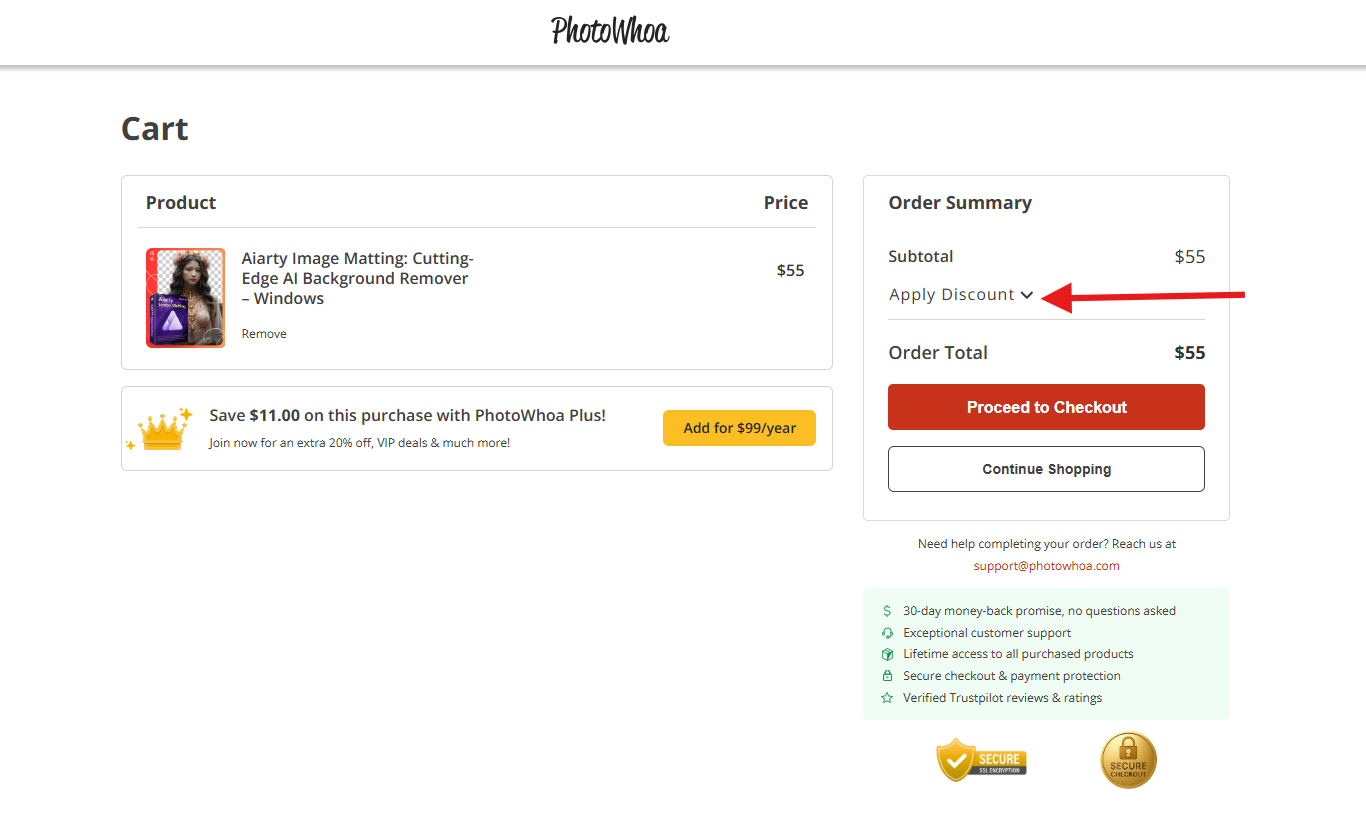
Step 1: - After adding any product to cart, you will see the interface below. Click "Apply Discount".
Step 2: - Select the option "Use Credits".
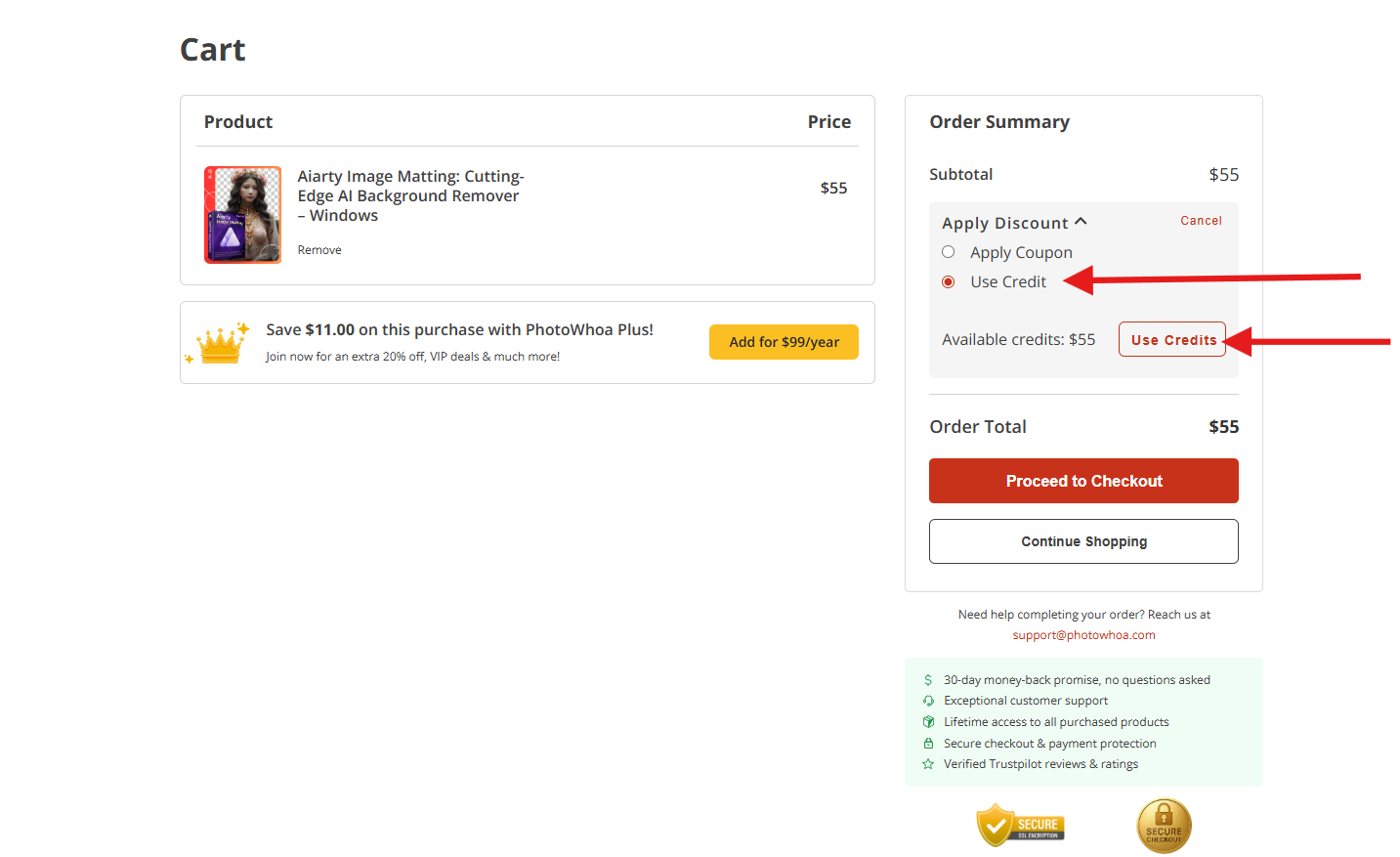
Step 3: - The credits will then be deducted from the original amount.
When you click on “Apply Credits” button, the available credits get applied on your cart and the balance is shown automatically.
Important Note: You can either apply Credits or a discount coupon on your purchase at a time. You cannot apply both. So select the which one you want to redeem, credits or coupon.
Was this article helpful?
That’s Great!
Thank you for your feedback
Sorry! We couldn't be helpful
Thank you for your feedback
Feedback sent
We appreciate your effort and will try to fix the article