You can change the email address associated with your PhotoWhoa account by following the below steps:-
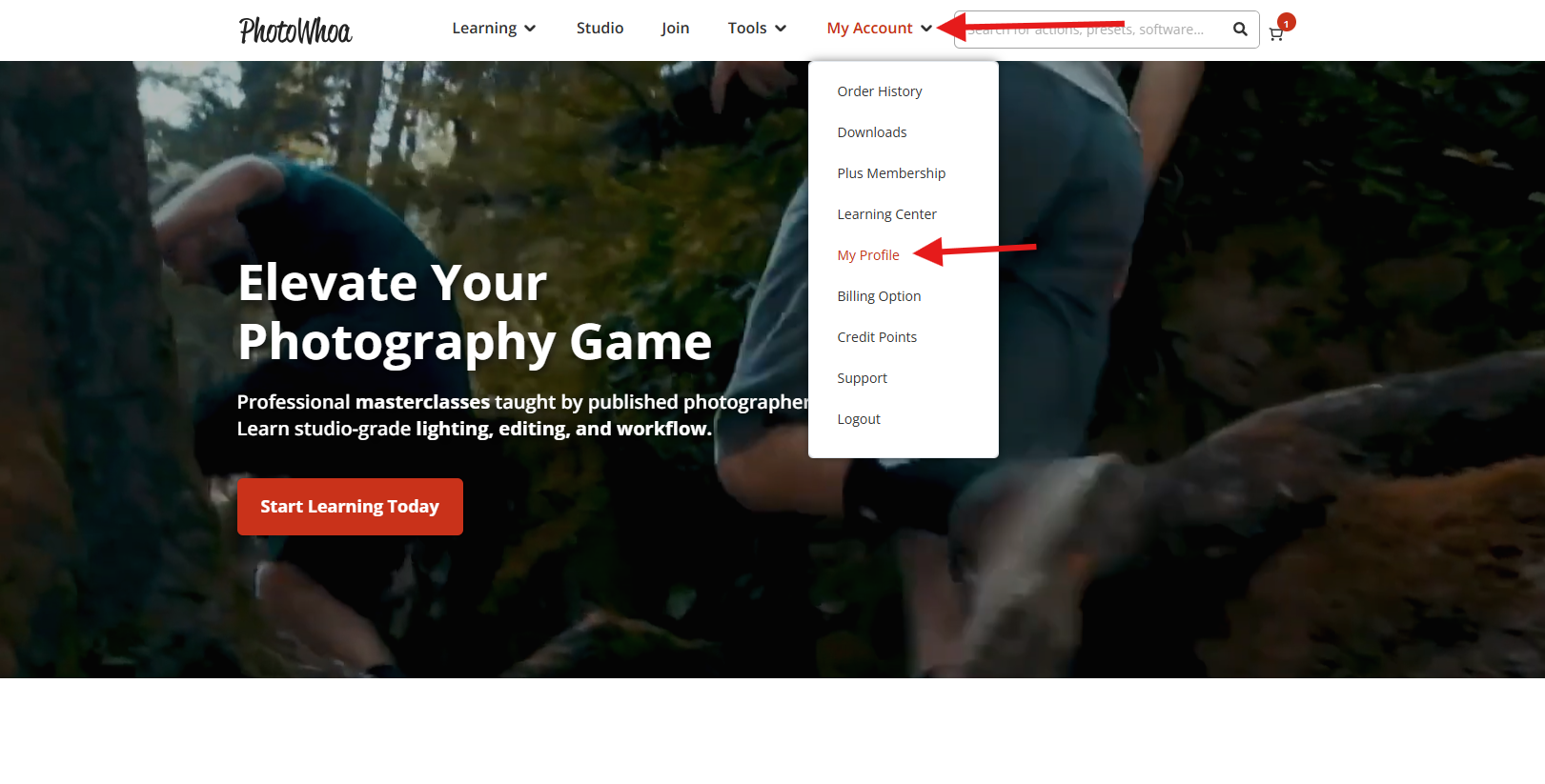
Step 1 - Go to https://www.photowhoa.com/. In the menu section, hover over "My Account" and click "My Profile".
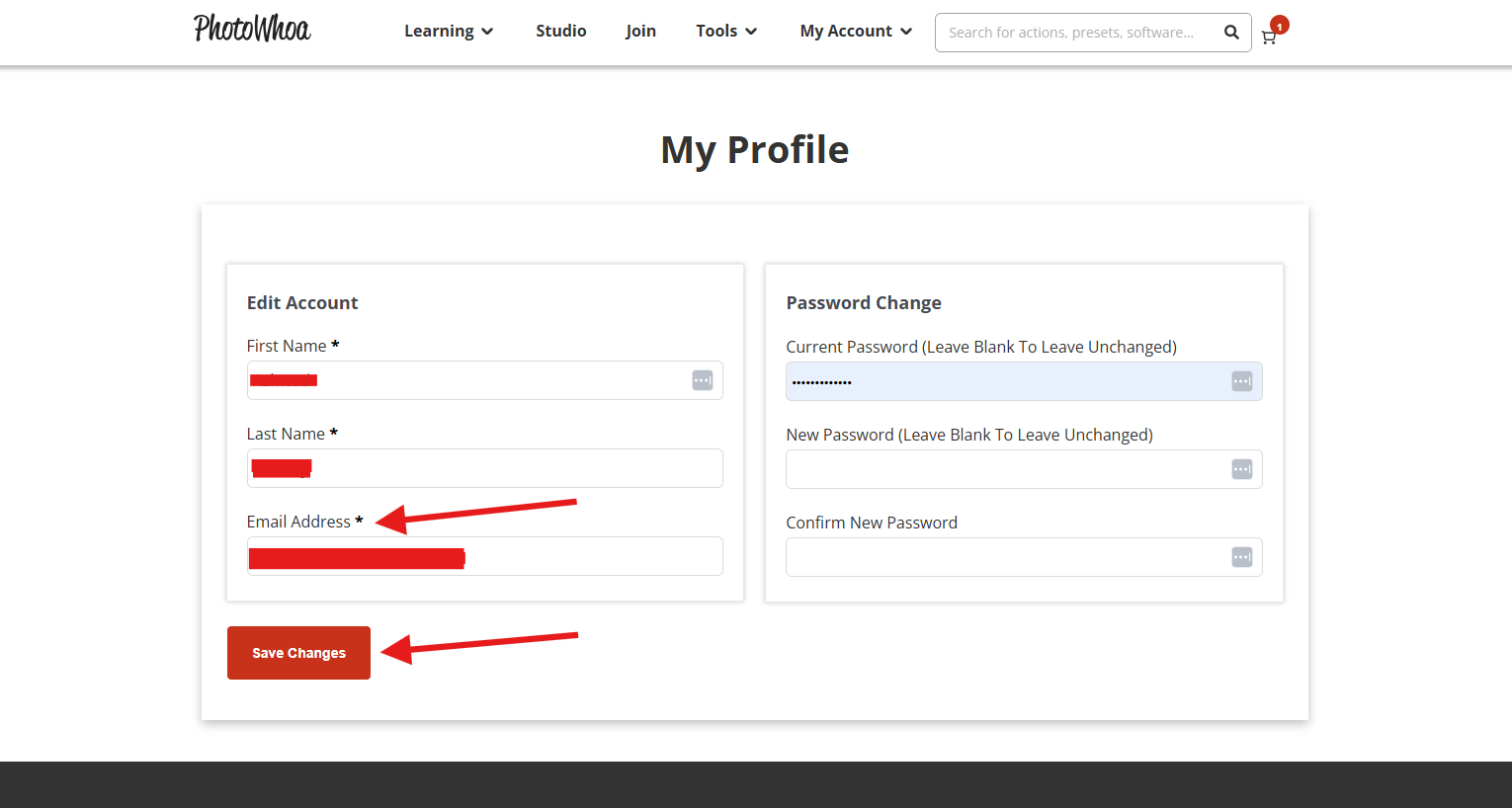
Step 2 - Enter the email address that you would like to change to and click "Save Changes".
You have successfully changed the email ID of your PhotoWhoa account.
Was this article helpful?
That’s Great!
Thank you for your feedback
Sorry! We couldn't be helpful
Thank you for your feedback
Feedback sent
We appreciate your effort and will try to fix the article